Skip to main content
 FreeAgent Update - Attach Receipts, Lock VAT returns, and more...

Ed Molyneux
Founder
Yet more streamlined goodness from the low-fat alternative to desktop accounting software:
Attach Receipts
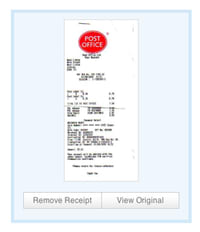
You can now attach electronic receipts to your out-of-pocket expenses, whether they are PDF documents or scanned images (in PNG, JPG or GIF format).
When you create or edit an expense, you’ll be able to specify a local file on your computer to be uploaded to our secure storage area.

It’s then available to be previewed, or the original downloaded, by again selecting the row to edit the expense.
A paperclip icon appears against each expense which has an attachment.

In the coming weeks we’ll be streamlining the process of attaching receipts, adding support for attachments on Bank Account Entries/Explanations, and also a adding a company-wide Filing Cabinet where attachments can be managed.
UK Accounts: VAT Period Locking
By popular request from our proper-accountant friends, we’ve added the facility to ‘lock’ periods related to VAT returns, so that a proper record of how they were calculated can be maintained.
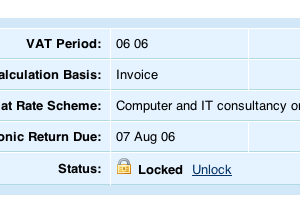
This comes in particularly handy if you’re ever visited by the VAT Inspector.
VAT Periods must be locked in sequence (i.e starting with the earliest period) to ensure certain kinds of VAT scheme changes are correctly handled.
When a VAT period is locked, you can no longer add, edit or remove Expenses, Invoices, Bank Account Entries or Journal Entries in that period, nor can you edit other items’ dates to fall within the period.

An invoice dated in a locked period can’t be marked as sent (you’ll have to edit the date first), but a sent one can still be written-off or have payments attached to it.
Locking is for protection against accidental changes really, we don’t prevent you from unlocking periods (which must be done in reverse sequence, latest first) but of course you won’t be able to guarantee that the numbers will match the return you sent in.
In the future you can expect more tools to help you keep the i’s dotted and the t’s crossed in relation to your other tax returns and accounts.
New Invoice Template: Horizon
This week we’re adding another new template to our Gallery: Horizon.
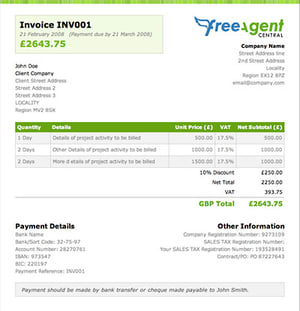
Designed by our very own Roan Lavery, Horizon is clean, green, fresh and particularly suited to lemon-based salad dressings.
As usual it’s accessible from the Change Template drawer on every draft invoice (and instantly preview the new template on your current invoice).
Or you can change your default invoice template at Invoices > Invoice Gallery.
Try it out on your next invoice…
Teeny tiny stuff
We have also:
- Improved performance significantly when viewing invoice lists or bank statements.
- Fixed an issue where some journal entries were appearing twice in the accounts.
- Added support for Nordea bank statements.
- UK Accounts: Added a link from the payroll screen to the Self Assessment screen where ‘Other Employment Income’ is entered.
- Changed the wording on the timesheet report to remove Employer/Employee.
- Added an extra parameter to Paypal Payment links, identifying FreeAgent as the originator (at the request of our friends at Paypal).
- Added support for import of clients from Freshbooks, by popular demand.
- Fixed an issue where zero-value invoices were causing errors.
Laters,
Ed & The Team at FreeAgent Central.